

How to Use AI for Small Business Without Making It Another Job
In a survey of 1,100 small businesses, 53% of owners said that if AI disappeared tomorrow, it would have no impact on their business, even though 65% expect it to be important or central to their operations within two years. That gap is where most owners get stuck when they try to work out how to use AI for small business, or when they type “how to use AI for my small business” into a search bar. They sign up for a tool, try a few prompts, and go back to running the company the old way, because deciding what to use AI for starts to feel like a second job.
The short answer
The practical answer to how to use AI as a small business owner is to decide what work needs a person before you choose any tool. Hand AI the repeatable execution work, keep judgment, relationships and pricing with your people, and prove one use over 30 days before you add a second. Your job is the sorting and the sign-off, and AI and your team do the rest.
Why the usual advice leaves owners stuck
AI is already mainstream in small companies. A U.S. Chamber of Commerce survey found that 58% of small businesses used generative AI in 2025, up from 23% in 2023. Most of the guides those owners read follow the same pattern: a list of tools, a list of use cases, and a reminder to keep a human in the loop.
That advice works for a solo shop. AI for small business owners at a larger size needs a different starting point. If you run a company with $1 million to $10 million in annual revenue, you have a team, customers who expect to deal with real people, and very little spare time. You need a way to decide what AI should touch and who owns it. Brian Gibbs’s book What NOT to Automate starts from that question, because a wrong call about what to automate costs more than a missed opportunity to automate.
How to use AI for small business in 7 steps
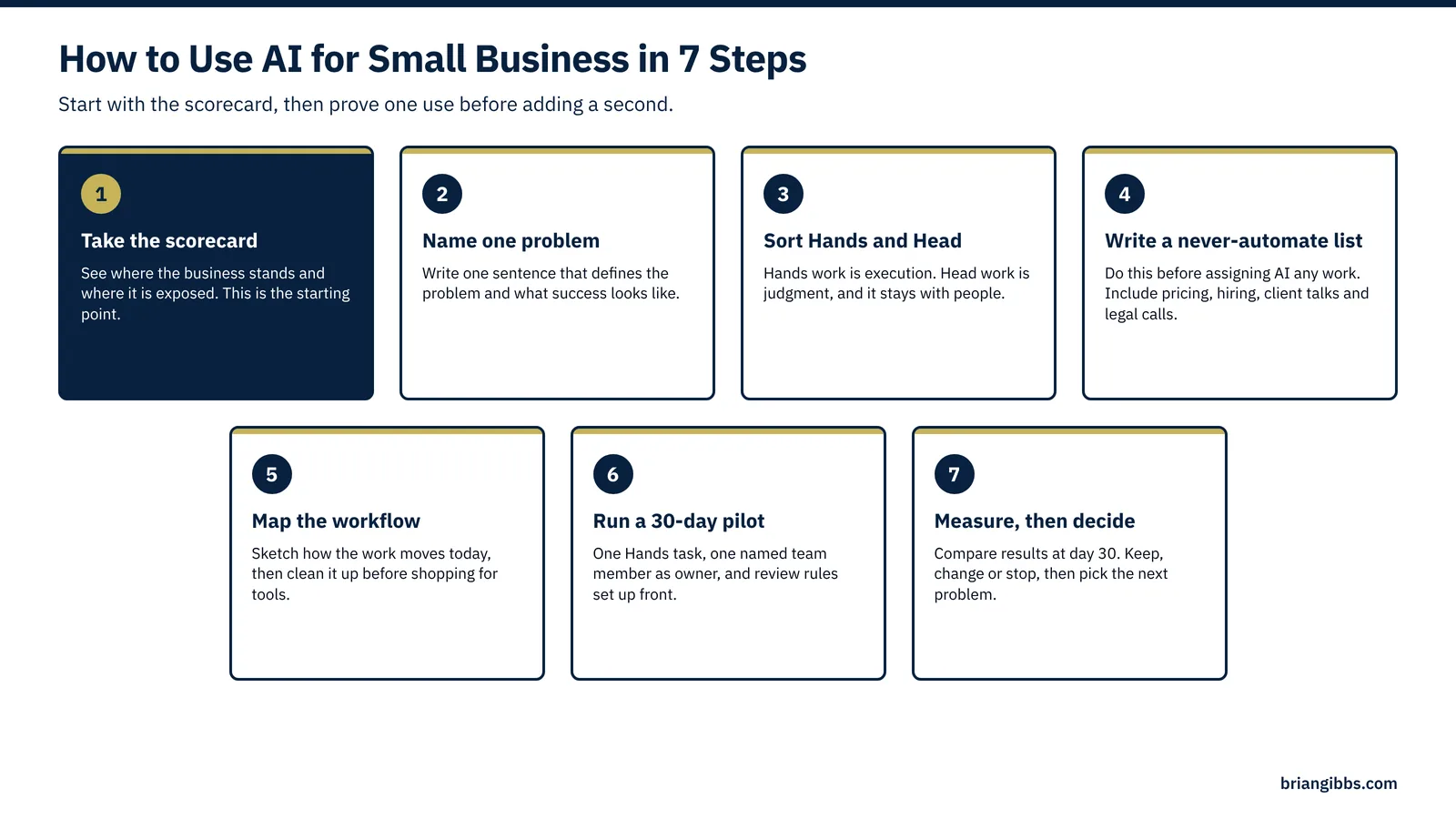
Step 1: Take the scorecard to see where you stand
Start with the free AI scorecard at briangibbs.com/scorecard. It shows where your business is ready for AI and where it is exposed. That gives you a baseline, so the steps below go after your real gaps and skip the ones a generic guide assumes you have.
Step 2: Name one problem worth solving
Brian’s COMPASS Framework (Clarity, Opportunity, Mapping, Priorities, Action, Support, Simplification) begins with Clarity, which means naming the problem before any tool gets near it. Write one sentence: “Quotes take three days to go out,” or “The sales team spends Friday afternoons building reports.” A named problem tells you what success looks like and what to measure at the end.
Step 3: Sort the work into Hands and Head
Brian’s Hands vs. Head method sorts every task into one of two piles. Hands work is execution: transcribing, reformatting, summarizing, sorting, first drafts. Head work is judgment: pricing, hiring, client relationships, strategy. AI gives you an almost unlimited supply of Hands. The Head work stays with people, because AI does not know your history, your clients or your market the way your team does. Go through the problem from Step 2 and label each task Hands or Head. Most problems turn out to be a few judgment calls surrounded by a lot of handling.
Step 4: Write down what you will never automate
Make the list of work AI never touches before you assign it anything. Common entries for owners at this size include final pricing, hiring and firing, hard conversations with clients, anything legal or regulated, and the personal touches customers associate with your name. Put the list where your team can see it. This list protects your reputation, and it makes every later decision faster, because the hard calls are already made.
Step 5: Map the workflow before you shop for tools
Sketch how the work moves today, step by step, and how you want it to move. Look for the handoffs where things stall. If the process is messy, clean it up first. Automating a broken process only produces the same mistakes faster. Often the map shows that one step can be removed altogether, which is the Simplification part of COMPASS and the cheapest improvement you will find.
Step 6: Run one small pilot with a named owner
Pick one Hands task from your map and run a 30-day pilot. Name one person on your team as the owner, so this never becomes your second job. Set a review rule up front: what AI can send on its own, what a person must check, and when it must hand off to a human. Use the tools you already pay for where you can, since many email, accounting and customer relationship management systems now include AI features.
Step 7: Measure, decide, then pick the next problem
At day 30, compare the results to how the work ran before. Track hours saved, errors, turnaround time and how much editing the output needed. If the pilot worked, make it standard practice and go back to Step 2 with the next problem. If it did not, stop it without guilt and try a different task. Adding one proven use each quarter builds more value than running many experiments at once.
Your AI starting checklist
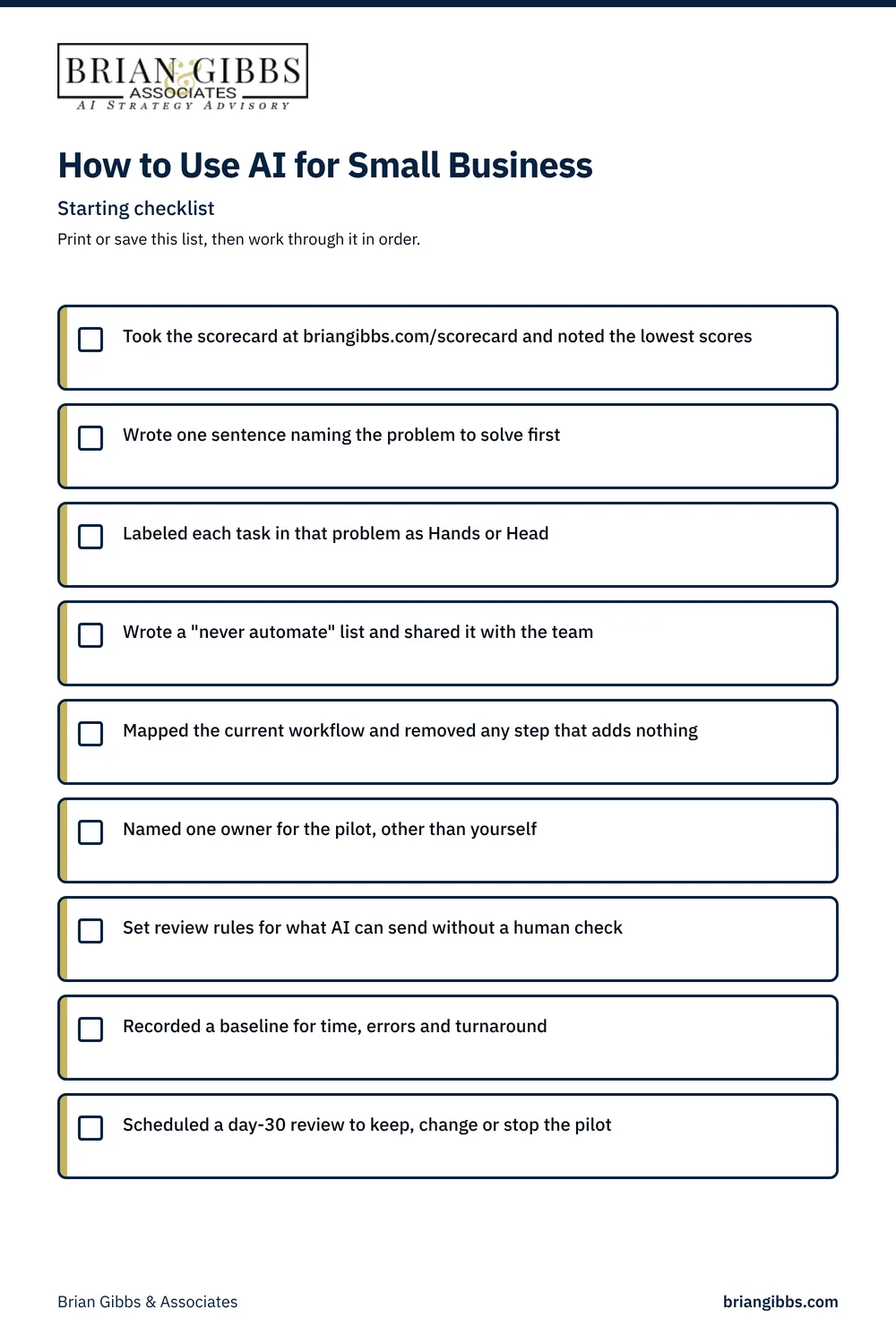
- [ ] Took the scorecard at briangibbs.com/scorecard and noted the lowest scores
- [ ] Wrote one sentence naming the problem to solve first
- [ ] Labeled each task in that problem as Hands or Head
- [ ] Wrote a “never automate” list and shared it with the team
- [ ] Mapped the current workflow and removed any step that adds nothing
- [ ] Named one owner for the pilot, other than yourself
- [ ] Set review rules for what AI can send without a human check
- [ ] Recorded a baseline for time, errors and turnaround
- [ ] Scheduled a day-30 review to keep, change or stop the pilot
What to hand AI and what your people keep

| Task | Who does it | Why |
|---|---|---|
| Meeting notes and action items | Hand to AI | This is pure Hands work, and a person skims the summary for accuracy. |
| First drafts of proposals, emails and posts | Hand to AI, a person edits | AI is fast at structure, while your voice and the final call stay human. |
| Sorting and tagging inbound leads or tickets | Hand to AI | The work follows clear rules, and edge cases go to a person. |
| Recurring reports and dashboards | Hand to AI | The inputs are the same every week, and a manager reads the exceptions. |
| Pricing and discount decisions | People keep | These calls need context on margins, history and the relationship. |
| Hiring, firing and performance talks | People keep | These decisions affect lives, carry legal risk and require judgment and empathy. |
| Handling an upset client | People keep | Trust gets repaired person to person, though AI can prepare the background. |
| Strategy and what to say no to | People keep | Strategy depends on your goals and your read of the market. |
Making AI work when you already have too much on your plate
The fear that AI becomes another job is reasonable, and it comes true when the owner does every step personally. The fix is to split the roles. Your part is a short list of decisions: the problem, the never-automate list, the review rules and the day-30 call. A team member owns the pilot, and AI does the repetitive work. When you leverage AI for small business this way, your calendar gets lighter as the project moves forward.
Frequently asked questions
What is the first step in using AI for a small business?
Find out where you stand. The free scorecard at briangibbs.com/scorecard shows where your business is ready for AI and where the risks are. Then name one specific problem, such as slow quotes or manual reporting, and work on that first.
What should a small business never automate?
Keep anything that depends on judgment, trust or legal accountability with people. That usually means pricing, hiring, sensitive client conversations, regulated decisions and the personal touches customers associate with your brand. AI can prepare background for these, and a person makes the call.
How do you find time to work out how to use AI to run a small business?
Limit your role to the decisions. You choose the problem, set the never-automate list and approve the review rules. A named team member runs a 30-day pilot on one task. That keeps AI from turning into a second job for you.
Do you need new software to start using AI?
In most cases, no new software is needed. Many email, accounting and customer relationship management tools already include AI features. Start with what you already pay for, and add a new tool only when a pilot shows a clear need for one.
How do you know if an AI pilot is working?
Record a baseline before you start, then compare at day 30. Look at hours saved, error rates, turnaround time and how much editing the output needed. Keep what clearly improves, and stop what does not.
Start with the scorecard
Every step above is easier once you know where your business stands today. The free AI scorecard points you to the first problem worth solving. If you want a fuller picture afterward, the AI Strategic Opportunity Map lays out where AI fits across your whole company. Take the scorecard at briangibbs.com/scorecard.