

How Leaders Use ChatGPT to Save Time: Setup, Prompts, and Limits
Most owners who try ChatGPT give up after a few generic answers. The usual cause is missing context. The tool knows nothing about the company, its customers, or how the leader likes to work, so it guesses. Ten minutes of setup fixes most of that.
This guide shows owners and CEOs how to set ChatGPT up once, how to tell it when to move fast and when to dig in, ten tasks to hand it this week, and the limits that keep the company’s facts, data, and decisions safe. Menu names and features change often, so the steps below focus on habits that carry over from one version to the next.
Set It Up Once
ChatGPT has custom instructions in its settings, where a user can tell it standing facts it should use in every conversation. Most people leave it blank. Filling it in is the single biggest improvement a leader can make.
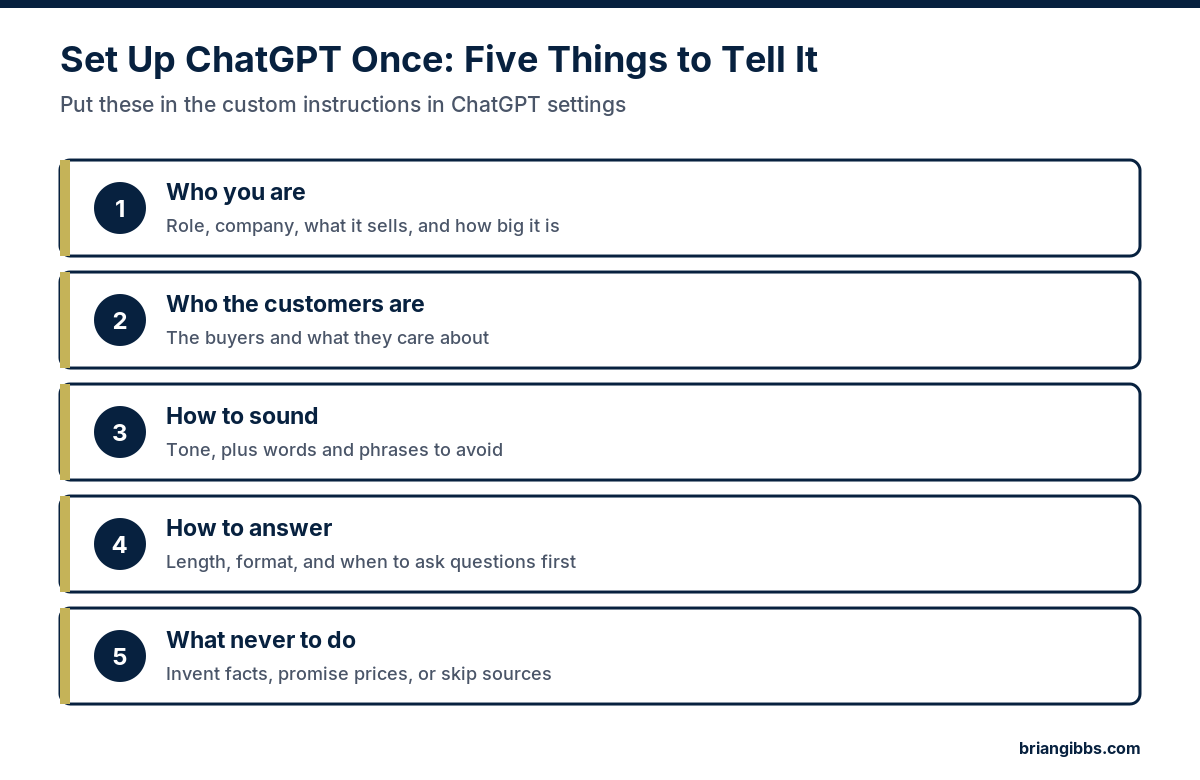
Here is an example of what an owner might write:
“I run a commercial HVAC company with 25 employees. Our customers are property managers and building owners who care about uptime and clear pricing. Write in a plain, direct tone. Avoid buzzwords and exclamation points. Keep answers short unless I ask for detail. If my request is unclear, ask one question before answering. Never invent numbers, prices, or sources. Tell me when you are unsure.”
Update it whenever the company changes. A new service line, a new market, or a new set of customers should all show up in the instructions.
Teach It With the Company’s Best Work
The fastest way to get the right voice is to show it. Paste two or three emails, proposals, or posts the company is proud of and ask ChatGPT to describe the style in a few bullet points. Review that description, fix anything that is off, and add it to the instructions. From then on, ask it to match that style.
Tell It How Hard to Work
Newer versions of ChatGPT can spend a long time researching and reasoning before they answer. That helps with a big decision and wastes time on a two-line email. Leaders get better results when they say up front which kind of job it is.
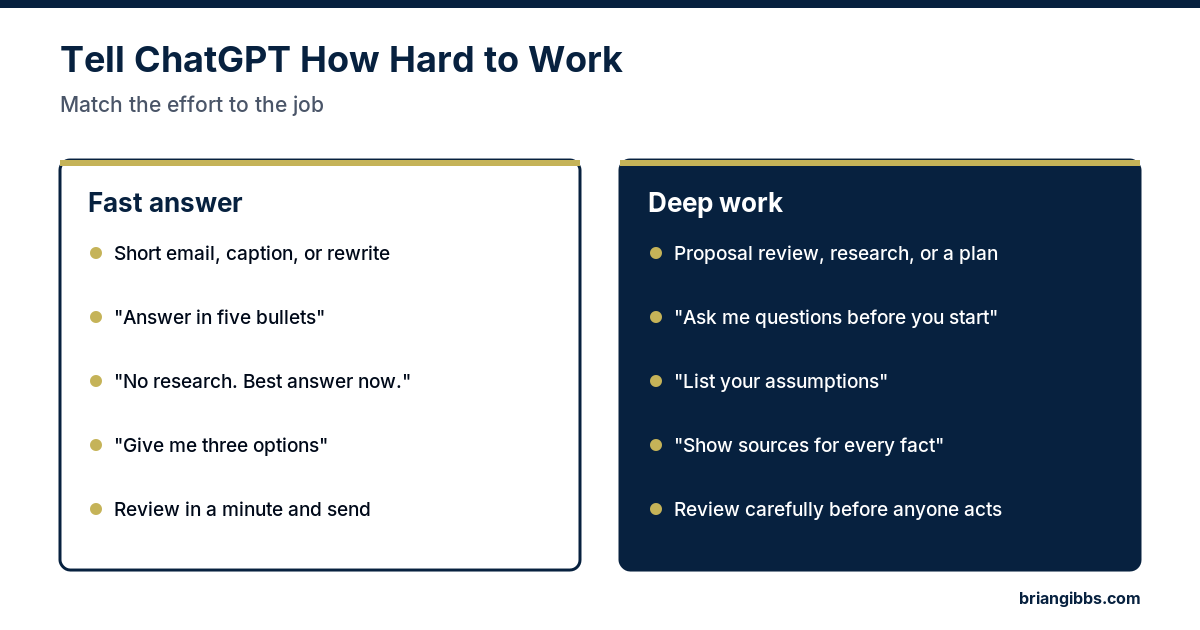
- For a fast answer, limit the scope. “Answer in five bullets.” “No research, give me your best answer now.” “Give me three options to choose from.”
- For deep work, slow it down. “Ask me questions before you start.” “List the assumptions you are making.” “Show a source for every fact.”
- For long tasks, ask for a short plan first and brief progress updates as it works, so it can be redirected before it goes too far in the wrong direction.
Ten Tasks to Hand ChatGPT This Week
- Email drafts. Paste the email that needs a reply and say what the answer should be. Edit and send.
- Meeting notes. Paste rough notes and ask for decisions, owners, and deadlines in a short list.
- Hard conversation prep. Describe the situation and ask for the likely objections and a calm way to open.
- Proposal comparison. Paste two vendor proposals and ask for a side-by-side table of price, terms, and gaps.
- Job descriptions. Give the role, the results expected in the first year, and the pay range, and ask for a first draft.
- Process documents. Describe how a task gets done today and ask for a step-by-step checklist the team can follow.
- Customer replies. Draft answers to common questions in the company’s voice for staff to review and reuse.
- First-pass research. Ask for an overview of a topic with sources, then check the sources before relying on it.
- Clarity edits. Paste a memo or policy and ask for a shorter, plainer version that keeps every fact.
- Report summaries. Paste the month’s numbers and ask for a plain-language summary for the leadership meeting.
For marketing work, including a prompt formula and a quality check for content, see AI in marketing: what to automate and what to keep human.
Fix a Bad Answer in One Step
A weak answer usually means a weak request. Before giving up, try one of these fixes.
- Add detail about the audience, the goal, and the format wanted.
- Ask it to ask questions first.
- Ask for three different versions and pick the closest one.
- Paste the weak answer back and say exactly what is wrong with it.
- Say what to leave out, such as jargon, hashtags, or long introductions.
Keep Facts, Data, and Decisions Safe
ChatGPT can state false things with complete confidence. It can also be fed information the company should never share. Three rules cover most of the risk.
- Check every fact before it leaves the building. Numbers, names, laws, and quotes all get verified against a real source.
- Know what never goes in. Customer financial details, health information, passwords, employee records, and anything under a confidentiality agreement stay out unless the company’s plan and settings have been reviewed and approved for that use. Leadership should write this list down and share it.
- Keep the decision with a person. ChatGPT can lay out options. Hiring, firing, pricing, legal matters, and anything with safety weight stay with a named person. I work from a simple principle: AI gets authority deliberately. Human judgment stays where consequences matter.
From Personal Tool to Company Workflow
A leader using ChatGPT well saves personal time. The bigger return comes when a repeat task moves into a defined workflow with an owner, a review step, and a number to track. What an AI workflow is and how to build one walks through that step.
Before building anything, decide where AI belongs. The free Make AI Earn Its Place scorecard helps a leader name the problems that cost the company money and pick the top three. The AI Strategic Opportunity Map from Brian Gibbs & Associates is a $1,500 written assessment that ranks those opportunities by value, effort, and risk. It starts with a questionnaire, needs no meeting, and arrives within five business days after I receive the completed questionnaire.
I have been building online since 1998 and working hands-on with AI since December 2022. I am tool-agnostic and do not build. See all advisory options, or read more about me.
Frequently Asked Questions
How should a leader set up ChatGPT for business use?
Fill in the custom instructions in ChatGPT’s settings with five things: the leader’s role and company, the customers, the tone and words to avoid, how answers should be formatted, and what it must never do, such as invent facts or promise prices.
How can ChatGPT learn a company’s writing style?
Paste two or three pieces the company is proud of and ask ChatGPT to describe the style in bullet points. Correct the description, add it to the instructions, and ask it to match that style in future drafts.
How can a leader make ChatGPT answer faster?
Say it is a quick job. Ask for a short format such as five bullets, tell it to skip research, and ask for a few options to choose from. Save the longer research style for proposals, plans, and decisions.
Is it safe to put company information into ChatGPT?
It depends on the plan, the settings, and the information. Leadership should write down what must never go into an outside tool, such as customer financial details, health information, passwords, and employee records, and review the plan’s data settings before approving any sensitive use.
What tasks should a leader hand to ChatGPT first?
Start with low-risk, repeat work: email drafts, meeting note summaries, process checklists, job description drafts, proposal comparisons, and plain-language report summaries. A person reviews everything before it is used.